
Download Bing Wallpaper – Free Daily Desktop Backgrounds, Automatic Slideshow, Windows & Mobile
Overview
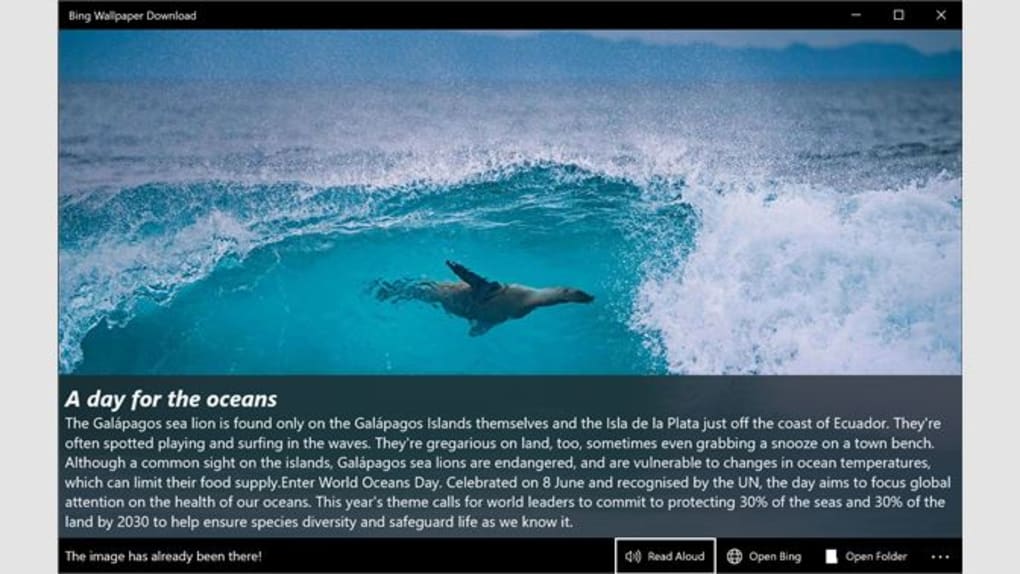
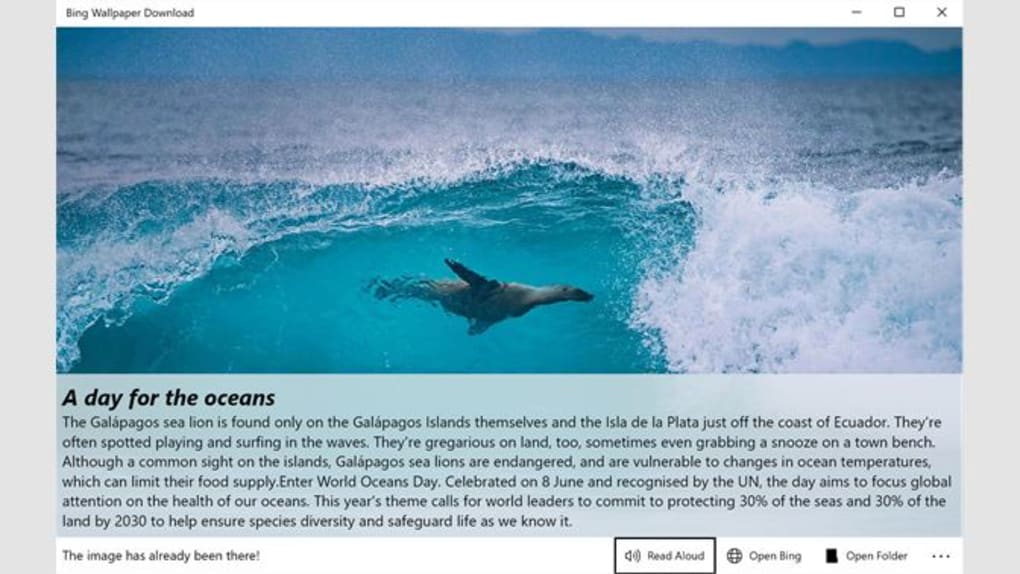
Bing Wallpaper is a lightweight, free utility that brings Microsoft’s daily‑updated Bing background images straight to your desktop. Every 24 hours the search engine selects a high‑resolution photograph—often a breathtaking landscape, cityscape, or cultural snapshot—and the app makes it available with a single click. The software works by syncing a local folder with Bing’s image feed, allowing you to set the newest picture as your wallpaper instantly or schedule a slideshow that cycles through your saved favorites. The interface is intentionally minimal: a small task‑bar icon opens a menu where you can preview the current image, jump to the next photo, or explore the image’s description and location. For users who love fresh visuals but dislike the hassle of manual downloads, Bing Wallpaper offers a secure, automatic solution that runs in the background without consuming noticeable system resources. Whether you’re on a Windows PC, a macOS laptop, or a mobile device, the app adapts to the operating system’s native wallpaper manager, ensuring a seamless experience across platforms.
Key Features
- Daily automatic download of Bing’s high‑resolution images (up to 4K)
- One‑click wallpaper change directly from the task‑bar or menu bar
- Customizable slideshow intervals (15 min, 30 min, 1 hr, etc.)
- Option to save favorite images in portrait or landscape orientation
- Built‑in image details: title, photographer, location, and EXIF data
- Lightweight background service – < 5 MB RAM usage
- Cross‑platform support for Windows 10/11, macOS 10.13+, Android 6+, and iOS 12+
- Secure HTTPS connection to Bing’s image API, no ads or tracking scripts
- Simple right‑click “Set as Desktop” shortcut for Windows and macOS
- Ability to manually select any previously downloaded Bing image as wallpaper
Installation & Usage Guide
Getting Bing Wallpaper up and running takes just a few seconds. First, visit the official Microsoft Store (Windows) or the App Store (iOS/Android) and click “Get” or “Install.” For macOS, download the .dmg file from the official website and drag the app to your Applications folder. Once installed, launch the program; a small icon appears in the system tray (Windows) or menu bar (macOS). Clicking the icon reveals three primary options: “Set Current Image,” “Next Image,” and “Settings.” In Settings you can enable automatic daily updates, choose a preferred resolution, and define slideshow timing. To set a custom interval, select “Slideshow” and pick from the preset timers or enter a custom value. If you wish to curate a personal collection, right‑click any image and choose “Add to Favorites.” The favorites folder can then be accessed via the standard Windows Personalization panel (right‑click Desktop → Personalize → Background → Slideshow) or the macOS Desktop & Screen Saver preferences. All changes apply instantly, and the app silently updates the background each morning without interrupting your workflow.
Compatibility & System Requirements
Bing Wallpaper is designed for modern operating systems while keeping the footprint minimal. Below are the officially supported platforms:
- Windows: 10 (Version 1809 and later) and Windows 11 – 64‑bit only.
- macOS: 10.13 (High Sierra) and newer – works with both Intel and Apple Silicon chips.
- Android: 6.0 (Marshmallow) and above – requires Google Play Services.
- iOS: 12.0 and newer – compatible with iPhone, iPad, and iPod Touch.
Pros and Cons
Pros
- Completely free with no hidden fees or advertisements.
- Automatic daily updates keep your desktop fresh without manual effort.
- Low system resource usage – runs quietly in the background.
- Cross‑platform support for Windows, macOS, Android, and iOS.
- Easy to curate a personal slideshow from saved Bing images.
Cons
- Limited to Bing’s image library; no third‑party sources.
- Slideshow interval options are preset; custom intervals require manual entry.
- Older Windows versions may experience occasional sync delays.
- No built‑in image editing tools – users must edit externally if needed.
- Requires an active internet connection for daily updates.
Frequently Asked Questions
How does Bing Wallpaper get new images each day?
The app connects to Bing’s public image API over HTTPS every 24 hours, downloads the latest high‑resolution picture, and stores it locally. The process is automated and runs in the background, so you never need to manually check for new wallpapers.
Can I use Bing Wallpaper on multiple monitors?
Yes. When you select “Set as Desktop,” the image is applied to the primary monitor by default. You can then open the Windows “Personalize” settings to extend the same image or choose a different Bing picture for each display.
Is there a way to download the images in higher resolutions?
The app automatically retrieves the highest resolution available from Bing (often up to 4K). If you need an even larger file, you can open the image’s detail page within the app and click “Download Original,” which redirects to Bing’s full‑size version.
Does Bing Wallpaper collect personal data?
No. The application only communicates with Bing’s image service to fetch wallpapers. It does not store or transmit any personal identifiers, browsing history, or usage analytics beyond basic error reporting.
Can I set a custom interval for the slideshow?
Yes. In the Settings menu you can choose from preset intervals (15 min, 30 min, 1 hr, etc.) or type a custom number of minutes. The app will then rotate through your saved favorite images according to that schedule.
Conclusion & Call to Action
Bing Wallpaper delivers a simple, secure, and completely free way to keep your desktop looking fresh with the world’s most beautiful photographs. Its lightweight design, cross‑platform availability, and automatic daily updates make it an ideal choice for anyone who wants a visually appealing workspace without the hassle of manual downloads. If you’re ready to transform your screen with stunning, high‑resolution scenery, click the download button below and let Bing’s curated gallery work its magic on your device. Experience the daily inspiration today – the best part is, it’s absolutely free.







